Oct 29, 2026
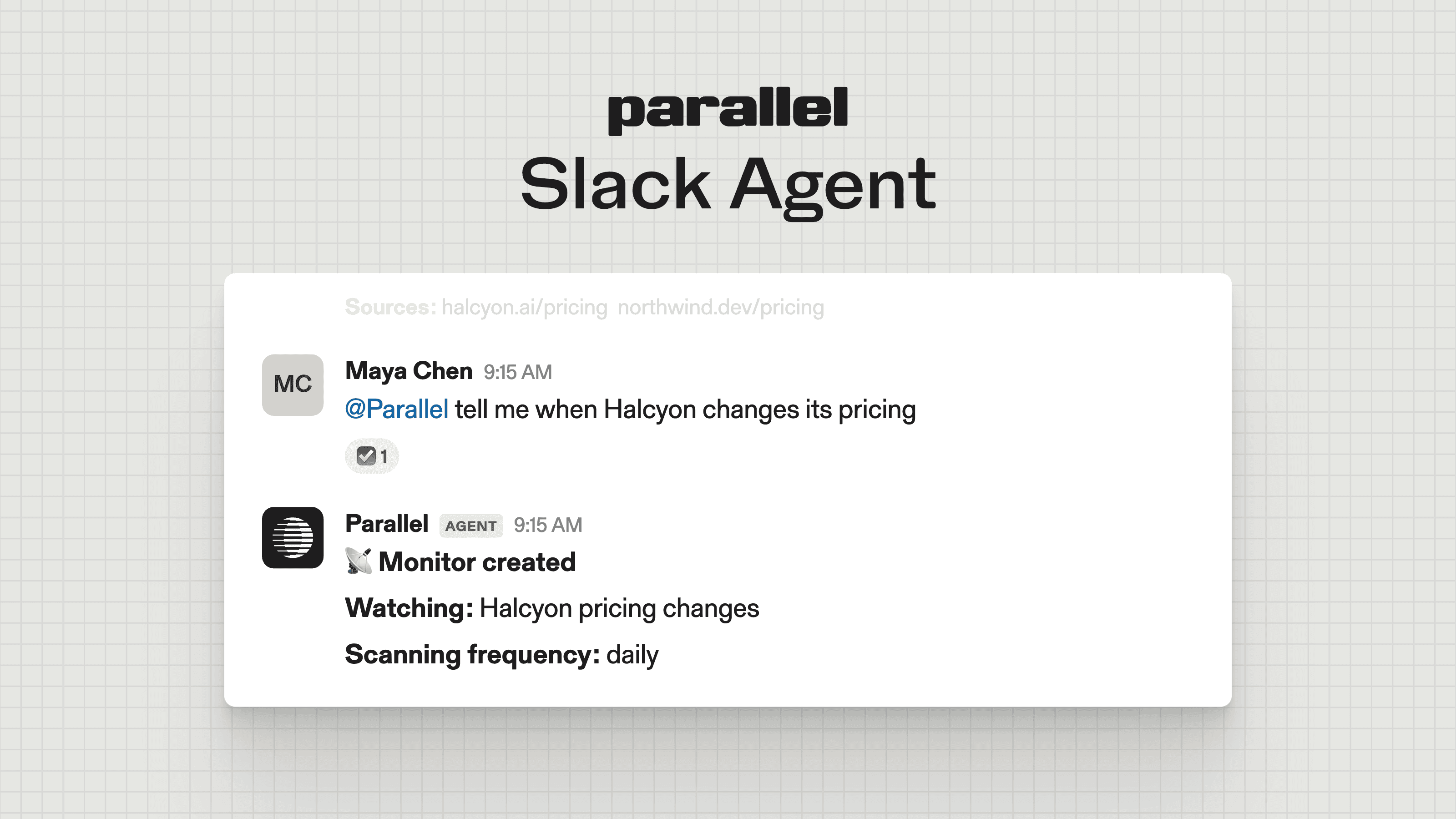
- [Introducing Parallel in Slack: web intelligence where your team works](https://parallel.ai/blog/parallel-slack-agent)
Tags:Product
Author: By ParallelAugust 31, 2026
Give this article to your agent to help you set up an effective evaluation of web search APIs.

Search has become an indispensable part of agentic systems. Whether you’re building coding agents, personal agents, knowledge apps, or something else entirely, AI is better with search!
But as soon as you start, you quickly realize: so much choice! Providers, models, different eval techniques. How to decide? Should you use an off-the-shelf eval? Vibe-code one? Find a solitary subject-matter expert tucked away in a forgotten cubicle to generate data and label a gold data set?
The answer is…it depends! (Sorry.)
The goal of this guide is to explain why search eval is less trivial than it appears, but far from impossible, and to give you a checklist for running one and impressing your friends and sub-agents with your deep expertise in the area.
Ready? Let’s start.
To a human, “search” is typing a keyword or phrase into Google. To an agent using search, the world is far richer and weirder.
There are three related jobs people commonly call “search”. These happen to map well to our products:
Search and extract are almost always used together. LLMs are specifically trained to expect that they can go deeper on a page. Agentic search like Parallel’s is designed to return dense snippets, page summaries relevant to the query, that minimize the use of extract. So it’s always a good idea to pair search and extract, because the model can decide if it needs to go deeper or not.
Although most developers reach for the search API first, it’s worth making sure that your use case isn’t better off with a research (Task) API. If the job is “take this objective and output schema, do the searching and reading, and return a sourced, structured answer” (enriching a list of companies, producing a cited research report), a Task API does all that in one convenient endpoint.
If you’re evaluating search, you probably have a problem you’re trying to solve. Maybe you’re enriching a list of customers, adding search capabilities to an agent, or looking through old earnings reports. Whatever you do, the equation you are probably looking at is:
**Agent Harness + LLM + Search + Extract = Answer**
The most important thing you can do is make sure that you have a set of gold standard labels that you trust, and that you evaluate the entire Harness + Model + Search stack end to end. Avoid looking at outputs, like specific search responses, or at the cost of search alone. Avoid passing queries directly to the search API: you do not know how an agent will choose to format queries or objectives, and you might be surprised at how much better agents are at prompting than humans are. Always evaluate the final answer.
The best data is the data you already have. Maybe you’ve painstakingly collected past data by hand. This will make for a great eval set, if it matches the type of data you expect to use with the search API.
If you must generate synthetic data (boo), generate a few questions by hand before asking an agent to generate more. Once you do, make sure they match your expected production data on as many dimensions as possible: wording, domain, answer type, and freshness.
Always review the gold labels generated by an LLM. You will repeat this process when you get your results, but it’s better to do it now, before you’ve spent tokens and dollars on search and inference.
Some common things to mix in, so long as they resemble your actual workloads:
Avoid overindexing on public benchmarks. Although popular in industry, they reflect a specific domain of questions that is unlikely to match yours. Some answers have also long been published online and since incorporated into datasets in both LLMs and search indexes. If you use public benchmarks, like BrowseComp, SealQA, and others, make sure to understand what each is measuring, and whether it is suitable for your case.
Now you’re ready to run your first eval, and it’s not even lunchtime. First things first: hold everything constant except the search tool. Same model, same prompts, same budgets, same judge. Expose each provider as the only search tool available, and let the agent take multiple turns. Agents are trained to search, narrow, and search again, so don’t yuck their yum by limiting how many turns they take. Instead, think about limiting their total search budget to reflect your actual cost considerations.
Then, configure each provider the way its docs recommend. Providers will have different ways to have their search shine.
For Parallel, there are common things we tell customers (see more in our best practices[best practices]):
Besides the query itself, search mode is one of the most important levers you have with Parallel’s Search API. One way to think about modes is how widely and deeply they search. fast is a perfect match for most agentic use cases that require near-frontier quality at a low cost (lower cost means more searches!), while advanced maximizes quality.
Which is better? Bad news again: it depends!
Sometimes the answer is clear, like if you have a specific product constraint you are solving for: maybe your latency requirements require you to use turbo, or your budget requires you to use fast. But in most cases, you should evaluate multiple modes and find the cheapest, fastest mode that gets you to a satisfactory result.
Of course, names can be misleading, so look at actual results.
The model matters too. It rarely makes sense to pair an affordable LLM with expensive search, and vice versa. So do not ask only, “Which search provider is best?” Ask:
**Which model × search configuration is best for this task, at the cost and latency we can afford?**
Before you actually run your evaluation, you should consider how you will grade your answers. Most people will use some sort of an “LLM as a judge” approach, using a high-end model to compare verified ground truth to results. There are some common techniques for measuring this:
| Task shape | How to grade | Example |
|---|---|---|
| Factual question | Correctness against the gold answer, plus citation support | “What is Vendor Y’s current cancellation deadline?” |
| List / discovery | Recall and precision against the gold list | “Which companies in this list announced funding in the last 30 days?” |
| Structured output / enrichment | Field-level accuracy against gold records | “Fill in CEO, HQ, and last round for these 500 companies” |
| Open-ended research | Rubric-based judging (coverage, sourcing, correctness of claims) | “Summarize the regulatory landscape for X” |
Remember that recall means “how much of the correct list did we find?”; precision means “how much of what we returned was correct?”
When using an LLM judge, never trust its conclusions blindly. Make sure the judge returns the reason for its conclusion alongside the result. Always hand-check at least 10% of runs, including both failures and successes. You will likely make interesting discoveries at this point that you will want to incorporate into your next judgment run. Make sure to ask your agent to track the answers it’s collected so you don’t have to regenerate answers from scratch, only the judgment step.
It’s not sexy, but some of the reasons your agent might fail are going to be… basic infrastructure issues. Here are some we’ve seen before:
Only retrieval misses and provider errors are direct failures of the search API. Since evals often run at much higher loads than real traffic, many failures may reflect account limitations rather than actual capabilities.
Remember that at the end of the day, what matters is the end-to-end cost to complete the task: the search spend plus the LLM tokens the agent uses reasoning over what search returned. A cheaper-per-call API that returns noisy, low-density results can be more expensive overall: more calls, more hops, more tokens in context on each one.
So measure cost the way the agent experiences it:
**cost per resolved task = (search + extract + model token charges) / # of resolved tasks**
Result length and hop count are tempting as efficiency proxies, but they’re unreliable in isolation. Verbose results can help an agent exit early, over-compressed results can force extra hops, and parallel tool calls make hop counts undercount work. Track total tool calls per run, end-to-end latency, and end-to-end cost, never surrogates for them.
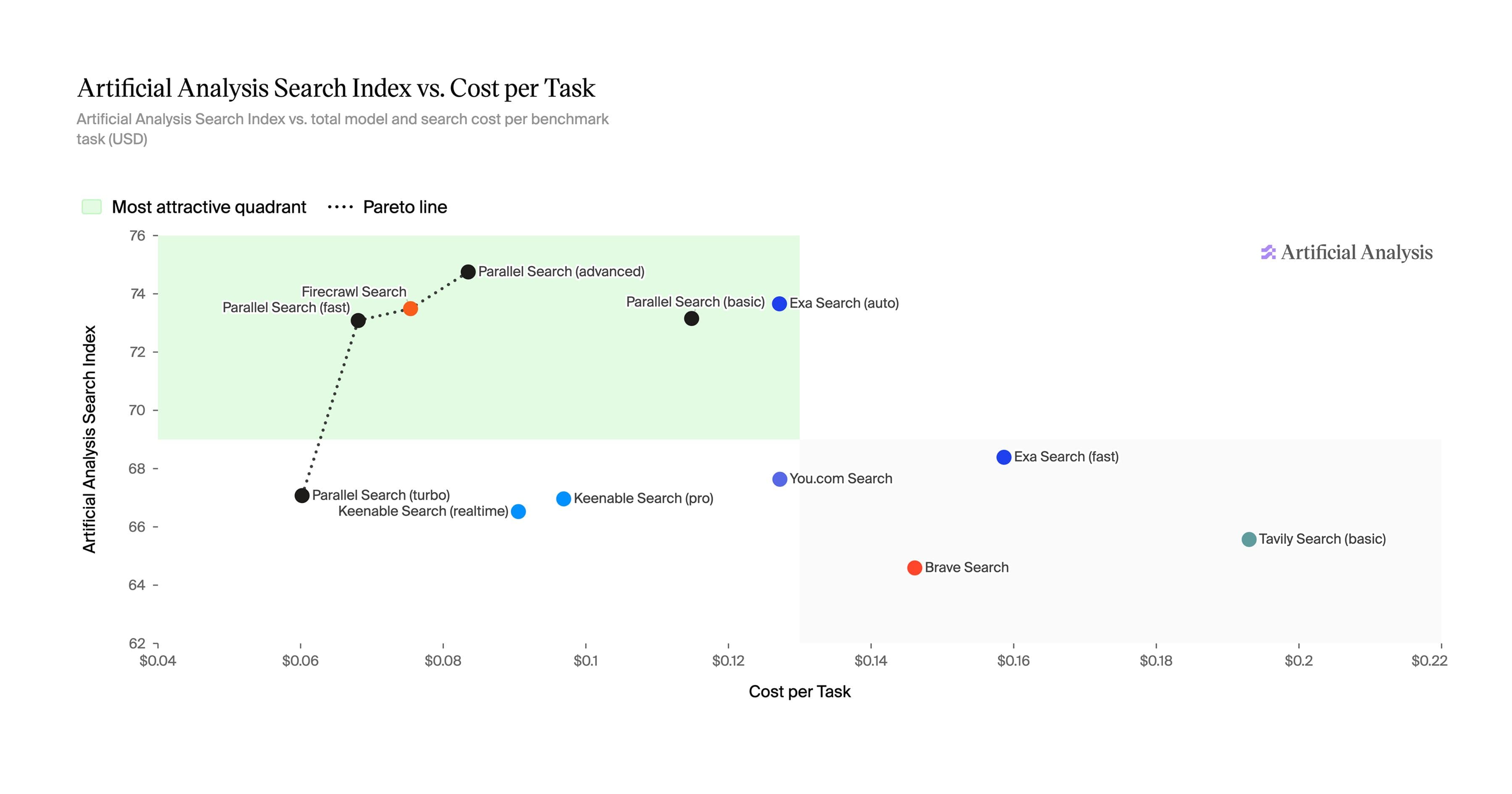
There is rarely a single “best” search tool; there are points on a trade-off surface, called a Pareto frontier. Plot the results on an XY plot: accuracy against cost, and accuracy against latency. You are typically looking for a provider that scores “on the frontier” in the quadrant you care most about.
A few practices separate a benchmark people trust from one they’ll ignore or argue:
That is how to eval agentic search. You may now release the subject-matter expert from the forgotten cubicle.