# How we enrich & triage inbound leads using the Parallel Task API

Tags:Engineering
Reading time: 5 min
How we enrich & triage inbound leads using the Parallel Task API

Illustration demonstrating deep research API concepts, web search capabilities, or AI agent integration features
![](https://cdn.sanity.io/images/5hzduz3y/production/d758bf1ea34f13083edcf0ca18caf53706c90843-1700x716.gif)

As a small go-to-market team, we want to spend less time on repetitive lead research and more time with people who are likely to benefit from Parallel.

Recently, we started using our own Task API to enrich and triage every inbound before a person decides on the best response. It gives us the baseline context we would otherwise have to look up manually: what the company does, how large it is, whether it appears to be a priority account, and why.

Illustration demonstrating deep research API concepts, web search capabilities, or AI agent integration features
![](https://cdn.sanity.io/images/5hzduz3y/production/313923f82490199ed13e12e9cea850fe93bd2a96-2880x1440.png)
Side-by-side comparison of basic contact form alongside enrichment conducted via the Parallel Task API

## What the Task API does for a lead

The Parallel Task API[Parallel Task API](/products/task) turns open-ended research tasks into structured, repeatable workflows by combining AI inference with web search and live crawling. For lead enrichment, that means you can send the fields from a contact form and get back a structured response: company description, funding raised, a tier label that maps to your sales motion, and any other field that would help your team route and follow up with the lead.

To make that work, you define the shape of the output up front: which fields should be returned, what type each field should be, and how the model should interpret them. You can then pair that structured output with lightweight business logic that decides what action should be taken with the lead based on that information.

For example, you might ask the Task API to classify a lead as “Strategic Enterprise,” “AI-Native,” “Mid-Market,” then use that value to route the lead, update your CRM, and customize the right first-touch email. Normally, this kind of research is repetitive and time-consuming, even for experienced SDRs. The Task API can perform this in under a minute.

## How it fits into our stack

For the lead submitting your form, nothing changes. They hit submit and get an instant confirmation. The Task API call happens in the background while they are still reading your “thanks, we’ll be in touch” page. By the time someone on your team looks at the lead, the research is done, the CRM is updated, and the first response is on its way.

We make that happen with five components, many of which may already be part of your pipeline:

  • - **Next.js on Vercel[Vercel](https://vercel.com/)** hosts the contact form and serverless routes
    • - `/api/contact` for form intake
    • - `/api/task-webhook` for the Task API callback
    • - `/api/qualify` for inline classification when we want to stream progress directly to the form.
  • - **The Parallel Task API** does the research and returns the structured classification.
  • - **`Attio`**[**`Attio`**](https://attio.com/) is our CRM and system of record. Every inbound request creates or updates a person and company record before the Task API call returns.
  • - **Slack** is where the inbound leads are routed, so an AE sees the enriched lead with the model’s reasoning attached.

**Resend[Resend](https://resend.com/) and Cal.com[Cal.com](https://cal.com/)** [ ](https://cal.com/)handle the first-touch email, with copy varying by tier and a booking link for priority leads.

The whole workflow is webhook-driven so the form submission can return immediately. Here is what happens step by step:

  1. A lead submits your contact form. The form route creates a person and company record in Attio, captures the Attio Person ID, and returns success to the user.
  2. The same route POSTs to the Task API with the form fields as input, your output schema, and a webhook URL pointing to /api/task-webhook. The Attio Person ID is passed through metadata, which the Task API returns unchanged when the run completes.
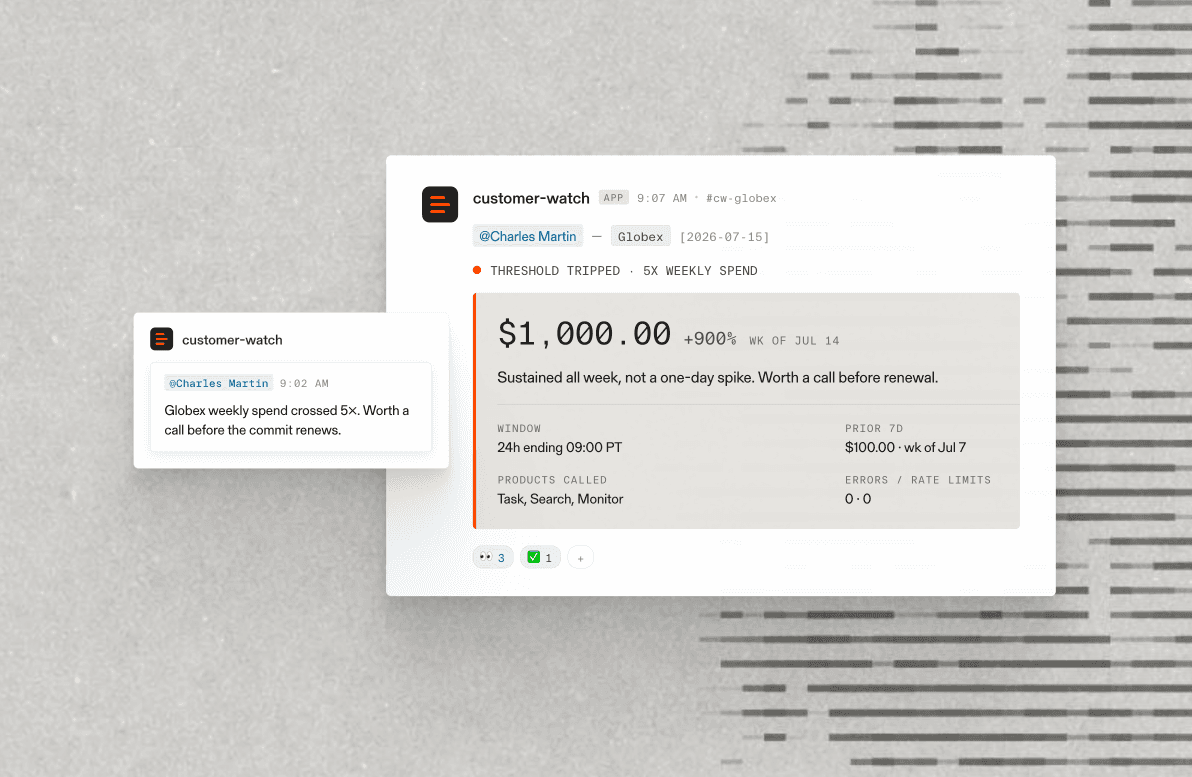
  3. When the run completes, the Task API posts to /api/task-webhook. The handler fetches the full result, including the basis array with per-field reasoning and citations, then updates Attio, sends the Slack alert, and triggers the tier-aware Resend email.
  4. By the time anyone reads the Slack alert, the lead has been classified, the first email has gone out, and Attio is up to date. The alert links back to the Attio record, the Task run page, and the lead’s LinkedIn profile.

The same workflow works for any inbound channel. As the classification rules evolve, we update one definition, and every channel inherits the change.

Illustration demonstrating deep research API concepts, web search capabilities, or AI agent integration features
![](https://cdn.sanity.io/images/5hzduz3y/production/caf91d5e194d5be3cddd6d4d86ddc70df97ad4f6-1920x2380.png)

## Output schema as the contract

The Task API output schema is a JSON definition that lists every field you want the Task API to return, the type of data each field should contain, and the instructions the model should follow when populating it.

For lead routing, two parts matter most: the first is the tier itself, defined as a list of allowed values with a description that defines the criteria for each one. Because the classification field is constrained to a fixed enum, downstream systems can rely on a predictable set of tier values instead of handling arbitrary labels.

The second is your enrichment fields: company description, headcount, funding, or anything else you want returned with the classification. In our workflow, we show those fields in Slack so an AE can see “Series B AI-native, 80 employees, $40M raised” without leaving Slack. You could also route on those fields directly.

A minimal version looks like this:

### Output schema example
1
2
3
4
5
6
7
8
9
10
11
12
13
14
15
16
17
18
{ "type": "object", "additionalProperties": false, "properties": { "classification": { "type": "string", "enum": ["Strategic Enterprise", "AI-Native", "Mid-Market", "Disqualified"], "description": "Strategic Enterprise: public companies in financial services, consulting, or insurance with >5,000 employees. AI-Native: seed-to-Series-B startups building AI-first products. Mid-Market: everything else with a clear commercial use case. Disqualified: students, job seekers, competitors." }, "simple_company_description": { "type": "string" }, "employee_count": { "type": "integer" }, "amount_raised": { "type": "string" }, "company_website_url": { "type": "string" }, "linkedin_url": { "type": "string" } }, "required": ["classification", "simple_company_description"] }```
{
"type": "object",
"additionalProperties": false,
"properties": {
"classification": {
"type": "string",
"enum": ["Strategic Enterprise", "AI-Native", "Mid-Market", "Disqualified"],
"description": "Strategic Enterprise: public companies in financial services, consulting, or insurance with >5,000 employees. AI-Native: seed-to-Series-B startups building AI-first products. Mid-Market: everything else with a clear commercial use case. Disqualified: students, job seekers, competitors."
},
"simple_company_description": { "type": "string" },
"employee_count": { "type": "integer" },
"amount_raised": { "type": "string" },
"company_website_url": { "type": "string" },
"linkedin_url": { "type": "string" }
},
"required": ["classification", "simple_company_description"]
}
 
```

## Try it yourself

The workflow above is our production system. For a simpler starting point, the prompt below builds just the classification piece as a self-contained Python CLI.

Paste it into Claude Code, Cursor, or your coding agent of choice. It uses Parallel’s agent onboarding to guide setup and authentication.

The generated tool runs in two phases. First, an interactive setup asks about your tiers, criteria, input fields, and enrichment fields, then saves a config. After that, you can classify one lead from CLI flags, or classify a batch from CSV/JSONL. Results are streamed, written to disk, and linked back to the Task run so you can audit the reasoning.

The README also explains how to extend the CLI into the full inbound-routing system: wrap it in serverless routes, pass a CRM record ID through metadata, and fan out from the webhook to your CRM, Slack, and email tool.

If you try this on your own pipeline, we would love to hear how it goes: what you put in your schema, what your tiers look like, and what broke. Reach out at https://contact.parallel.ai/[https://contact.parallel.ai/](https://contact.parallel.ai/).

### Prompt
1
2
3
4
5
6
7
8
9
10
11
12
13
14
15
16
17
18
19
20
21
22
23
24
25
26
27
28
29
30
31
32
33
34
35
Build me a single-file Python CLI that classifies inbound leads using the Parallel Task API. Use curl to read parallel.ai/agents.md and perform the setup to install Parallel. The tool should run in two phases. Phase 1 — first-run setup (interactive). When the script is run with no config present, or with a --reconfigure flag, interview me at the terminal: Ask how many lead tiers I want and what to name each (e.g., "Strategic Enterprise", "AI-Native", "Mid-Market", "Disqualified"). For each tier, ask me to describe the criteria in plain English (e.g., "Public companies in financial services with >5,000 employees" or "Seed-to-Series-B AI-native startups with a technical founder"). These descriptions become field-level instructions in the Task spec so the model has the routing rules baked in. Ask which enrichment fields to return alongside the tier. Default set: simple_company_description, employee_count, amount_raised, company_website_url, linkedin_url. Let me add or remove, and let me set the type and description for each. Ask which form fields will be passed in at classification time. Defaults: name, email, domain, job_title, use_case. Save the resulting config (tiers, criteria, enrichment fields, input fields) to lead_classifier_config.json in the working directory. Phase 2 — classify leads. On every subsequent run: Load lead_classifier_config.json. Accept input in two modes: Single lead: form fields as CLI flags (--name, --email, --domain, ...) or a JSON object piped to stdin. Batch: --input leads.csv or --input leads.jsonl, where each row is one lead's form fields. Build a Parallel Task spec from the config: processor: "core" task_spec.output_schema is a JSON schema with additionalProperties: false. The classification property is a string enum constrained to my tier names, and its description enumerates the tier criteria so the model picks the right one. Each enrichment field is included with its type and user-supplied description. input is each lead's form fields as a JSON object (the SDK accepts dict directly). Pass each lead's email (and optionally a CRM record ID) through metadata — Parallel returns it unchanged in the result, so a webhook handler can route back to the record without a database lookup. Stream results via the Task Group SSE endpoint (GET /v1beta/tasks/groups/{taskgroup_id}/events): Create a Task Group, then create one Task Run per lead inside the group. Consume events with client.beta.task_group.events(taskgroup_id). Handle three event types: task_group_status (update a progress bar — task_run_status_counts gives queued/running/completed/failed counts), task_run.state (a run finished — render its result), and error (log and continue). For each task_run.state event with event.run.status == "completed", render the lead's classification + enriched fields + per-field basis reasoning + citations. Pass last_event_id on reconnect so the stream resumes cleanly if the connection drops. Use this same code path for the single-lead case — just a group of one. Output formatting. Use rich (with a plain-text fallback if it isn't installed): A live progress bar at the top showing queued/running/completed/failed counts from task_group_status. As each run completes, append a panel: tier name in a colored header, a table of enrichment fields, and a collapsible section with each field's basis.reasoning and basis.citations[].url. At the end, print the Task run URL for each lead so I can audit the run, and write the raw JSON results to runs/<group_id>/<run_id>.json. Constraints: Single Python file. Standard library + parallel-web + rich only. Read PARALLEL_API_KEY from env. Fail loudly with a clear message if missing. Handle SSE disconnects with one automatic resume using last_event_id. Surface terminal failures (failed, cancelled) with the error message from the run. Include a --dry-run flag that prints the generated Task spec and the parsed input rows without submitting. Then, write a README.md that documents: How to install and run the CLI (single lead and batch CSV). How to extend it into the full inbound-routing system described in Enrich and triage inbound leads using the Parallel Task API: wrap the classifier in serverless routes (/api/contact for form intake, /api/task-webhook for the async result), pass a CRM record ID through the Task metadata field so the webhook can reconnect to the record without a database lookup, and fan out from the webhook to your CRM, Slack, and email tool. Note that the Task spec is portable: the same call works for contact-form submissions, PLG signups, and any other inbound channel — and that the Task Group + SSE pattern in this script is what you'd use to reclassify a backlog of historical signups in one go. Generate the script, the config wizard, and the README now.```

Build me a single-file Python CLI that classifies inbound leads using the Parallel Task API. Use curl to read parallel.ai/agents.md and perform the setup to install Parallel. The tool should run in two phases.
Phase 1 — first-run setup (interactive). When the script is run with no config present, or with a --reconfigure flag, interview me at the terminal:
Ask how many lead tiers I want and what to name each (e.g., "Strategic Enterprise", "AI-Native", "Mid-Market", "Disqualified").
For each tier, ask me to describe the criteria in plain English (e.g., "Public companies in financial services with >5,000 employees" or "Seed-to-Series-B AI-native startups with a technical founder"). These descriptions become field-level instructions in the Task spec so the model has the routing rules baked in.
Ask which enrichment fields to return alongside the tier. Default set: simple_company_description, employee_count, amount_raised, company_website_url, linkedin_url. Let me add or remove, and let me set the type and description for each.
Ask which form fields will be passed in at classification time. Defaults: name, email, domain, job_title, use_case.
Save the resulting config (tiers, criteria, enrichment fields, input fields) to lead_classifier_config.json in the working directory.
Phase 2 — classify leads. On every subsequent run:
Load lead_classifier_config.json.
Accept input in two modes: Single lead: form fields as CLI flags (--name, --email, --domain, ...) or a JSON object piped to stdin. Batch: --input leads.csv or --input leads.jsonl, where each row is one lead's form fields.
Build a Parallel Task spec from the config:
processor: "core"
task_spec.output_schema is a JSON schema with additionalProperties: false. The classification property is a string enum constrained to my tier names, and its description enumerates the tier criteria so the model picks the right one. Each enrichment field is included with its type and user-supplied description.
input is each lead's form fields as a JSON object (the SDK accepts dict directly).
Pass each lead's email (and optionally a CRM record ID) through metadata — Parallel returns it unchanged in the result, so a webhook handler can route back to the record without a database lookup.
Stream results via the Task Group SSE endpoint (GET /v1beta/tasks/groups/{taskgroup_id}/events):
Create a Task Group, then create one Task Run per lead inside the group.
Consume events with client.beta.task_group.events(taskgroup_id).
Handle three event types: task_group_status (update a progress bar — task_run_status_counts gives queued/running/completed/failed counts), task_run.state (a run finished — render its result), and error (log and continue).
For each task_run.state event with event.run.status == "completed", render the lead's classification + enriched fields + per-field basis reasoning + citations.
Pass last_event_id on reconnect so the stream resumes cleanly if the connection drops.
Use this same code path for the single-lead case — just a group of one.
Output formatting. Use rich (with a plain-text fallback if it isn't installed):
A live progress bar at the top showing queued/running/completed/failed counts from task_group_status.
As each run completes, append a panel: tier name in a colored header, a table of enrichment fields, and a collapsible section with each field's basis.reasoning and basis.citations[].url.
At the end, print the Task run URL for each lead so I can audit the run, and write the raw JSON results to runs/<group_id>/<run_id>.json.
Constraints:
Single Python file. Standard library + parallel-web + rich only.
Read PARALLEL_API_KEY from env. Fail loudly with a clear message if missing.
Handle SSE disconnects with one automatic resume using last_event_id. Surface terminal failures (failed, cancelled) with the error message from the run.
Include a --dry-run flag that prints the generated Task spec and the parsed input rows without submitting.
Then, write a README.md that documents:
How to install and run the CLI (single lead and batch CSV).
How to extend it into the full inbound-routing system described in Enrich and triage inbound leads using the Parallel Task API: wrap the classifier in serverless routes (/api/contact for form intake, /api/task-webhook for the async result), pass a CRM record ID through the Task metadata field so the webhook can reconnect to the record without a database lookup, and fan out from the webhook to your CRM, Slack, and email tool. Note that the Task spec is portable: the same call works for contact-form submissions, PLG signups, and any other inbound channel — and that the Task Group + SSE pattern in this script is what you'd use to reclassify a backlog of historical signups in one go.
Generate the script, the config wizard, and the README now.
```

Khushi Shelat avatar

By Khushi Shelat

June 4, 2026

## Related Posts69

How AirOps creates citation-worthy content at scale, powered by Parallel

- [How AirOps creates citation-worthy content at scale, powered by Parallel](https://parallel.ai/blog/case-study-airops)

Tags:Case Study
Reading time: 5 min
Introducing Index by Parallel

- [Introducing Index by Parallel](https://parallel.ai/blog/introducing-index-by-parallel)

Tags:Product Release
Reading time: 2 min
Parallel Monitor API: New processor tiers, snapshots and event streams, and Basis on every event

- [Parallel Monitor API: New processor tiers, snapshots and event streams, and Basis on every event](https://parallel.ai/blog/monitor-api)

Tags:Product Release
Reading time: 7 min
How we built parallelmpp.dev

- [How we built parallelmpp.dev](https://parallel.ai/blog/parallel-mpp-dev)

Tags:Cookbook
Reading time: 7 min
Actively + Parallel

- [How Actively's Per Account Agents use Parallel to turn the entire web into a proactive sales intelligence layer](https://parallel.ai/blog/case-study-actively)

Tags:Case Study
Reading time: 6 min
Parallel Raises at $2 Billion Valuation to Scale Web Infrastructure for Agents

- [Parallel Raises at $2 Billion Valuation to Scale Web Infrastructure for Agents](https://parallel.ai/blog/series-b)

Tags:Fundraise
Reading time: 2 min
Fully Free CLI with Pi, Ollama, Gemma 4, Parallel

- [Building a free CLI agent with Pi, Ollama, Gemma 4, and Parallel](https://parallel.ai/blog/free-CLI-agent)

Tags:Cookbook
Reading time: 4 min
Parallel Search is now free via MCP

- [Parallel Search is now free for agents via MCP](https://parallel.ai/blog/free-web-search-mcp)

Tags:Product Release
Reading time: 2 min
Search & Extract Benchmarks

- [Upgrades to the Parallel Search & Extract APIs](https://parallel.ai/blog/parallel-search-api)

Tags:Benchmarks
Reading time: 5 min
How Finch is scaling plaintiff law with AI agents that research like associates

- [How Finch is scaling plaintiff law with AI agents that research like associates](https://parallel.ai/blog/case-study-finch)

Tags:Case Study
Reading time: 3 min
Genpact and Parallel Web Systems Partner to Drive Tangible Efficiency from AI Systems

- [Genpact and Parallel Web Systems Partner to Drive Tangible Efficiency from AI Systems](https://parallel.ai/blog/genpact-parallel-partnership)

Tags:Partnership
Reading time: 4 min
Genpact & Parallel

- [How Genpact helps top US insurers cut contents claims processing times in half with Parallel ](https://parallel.ai/blog/case-study-genpact)

Tags:Case Study
Reading time: 4 min
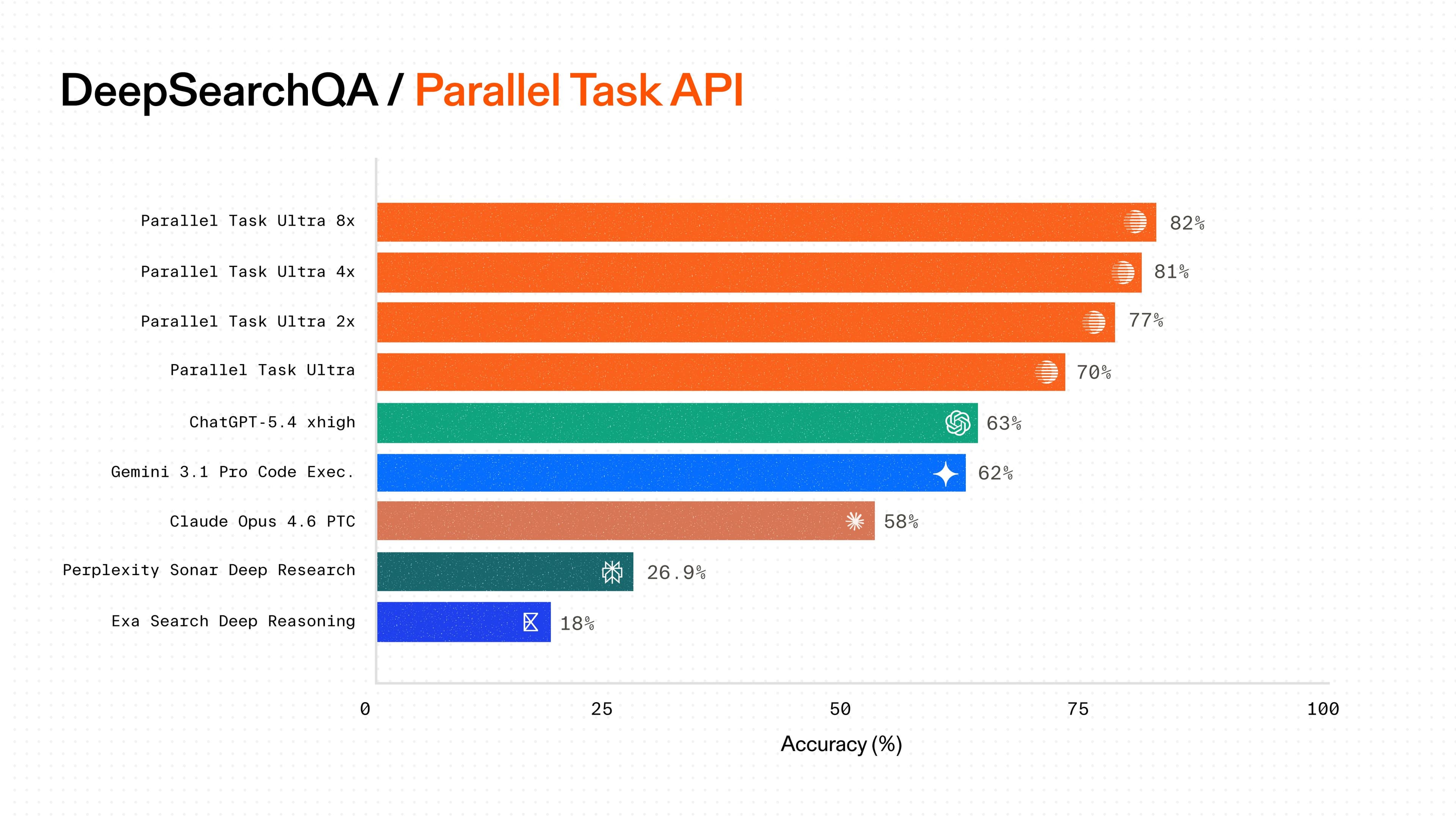
DeepSearchQA: Parallel Task API benchmarks deepresearch

- [A new deep research frontier on DeepSearchQA with the Task API Harness](https://parallel.ai/blog/deep-research)

Tags:Benchmarks
Reading time: 7 min
How Modal saves tens of thousands annually by building in-house GTM pipelines with Parallel

- [How Modal saves tens of thousands annually by building in-house GTM pipelines with Parallel](https://parallel.ai/blog/case-study-modal)

Tags:Case Study
Reading time: 4 min
Opendoor and Parallel Case Study

- [How Opendoor uses Parallel as the enterprise grade web research layer powering its AI-native real estate operations](https://parallel.ai/blog/case-study-opendoor)

Tags:Case Study
Reading time: 6 min
Introducing stateful web research agents with multi-turn conversations

- [Introducing stateful web research agents with multi-turn conversations](https://parallel.ai/blog/task-api-interactions)

Tags:Product Release
Reading time: 3 min
Parallel is now live on Tempo via the Machine Payments Protocol (MPP)

- [Parallel is live on Tempo, now available natively to agents with the Machine Payments Protocol](https://parallel.ai/blog/tempo-stripe-mpp)

Tags:Partnership
Reading time: 4 min
Kepler | Parallel Case Study

- [How Parallel helped Kepler build AI that finance professionals can actually trust](https://parallel.ai/blog/case-study-kepler)

Tags:Case Study
Reading time: 5 min
Introducing the Parallel CLI

- [Introducing the Parallel CLI](https://parallel.ai/blog/parallel-cli)

Tags:Product Release
Reading time: 3 min
Profound + Parallel Web Systems

- [How Profound helps brands win AI Search with high-quality web research and content creation powered by Parallel](https://parallel.ai/blog/case-study-profound)

Tags:Case Study
Reading time: 4 min
How Harvey is expanding legal AI internationally with Parallel

- [How Harvey is expanding legal AI internationally with Parallel](https://parallel.ai/blog/case-study-harvey)

Tags:Case Study
Reading time: 3 min
Tabstack + Parallel Case Study

- [How Tabstack by Mozilla enables agents to navigate the web with Parallel’s best-in-class web search](https://parallel.ai/blog/case-study-tabstack)

Tags:Case Study
Reading time: 5 min
Parallel | Vercel

- [Parallel Web Tools and Agents now available across Vercel AI Gateway, AI SDK, and Marketplace](https://parallel.ai/blog/vercel)

Tags:Product Release
Reading time: 3 min
Product release: Authenticated page access for the Parallel Task API

- [Authenticated page access for the Parallel Task API](https://parallel.ai/blog/authenticated-page-access)

Tags:Product Release
Reading time: 3 min
Introducing structured outputs for the Monitor API

- [Introducing structured outputs for the Monitor API](https://parallel.ai/blog/structured-outputs-monitor)

Tags:Product Release
Reading time: 3 min
Product release: Research Models with Basis for the Parallel Chat API

- [Introducing research models with Basis for the Parallel Chat API](https://parallel.ai/blog/research-models-chat)

Tags:Product Release
Reading time: 2 min
Parallel + Cerebras

- [Build a real-time fact checker with Parallel and Cerebras](https://parallel.ai/blog/cerebras-fact-checker)

Tags:Cookbook
Reading time: 5 min
DeepSearch QA: Task API

- [Parallel Task API achieves state-of-the-art accuracy on DeepSearchQA](https://parallel.ai/blog/deepsearch-qa)

Tags:Benchmarks
Reading time: 3 min
Product release: Granular Basis

- [Introducing Granular Basis for the Task API](https://parallel.ai/blog/granular-basis-task-api)

Tags:Product Release
Reading time: 3 min
How Amp’s coding agents build better software with Parallel Search

- [How Amp’s coding agents build better software with Parallel Search](https://parallel.ai/blog/case-study-amp)

Tags:Case Study
Reading time: 3 min
Latency improvements on the Parallel Task API

- [Latency improvements on the Parallel Task API ](https://parallel.ai/blog/task-api-latency)

Tags:Product Release
Reading time: 3 min
Product release: Extract

- [Introducing Parallel Extract](https://parallel.ai/blog/introducing-parallel-extract)

Tags:Product Release
Reading time: 2 min
FindAll API - Product Release

- [Introducing Parallel FindAll](https://parallel.ai/blog/introducing-findall-api)

Tags:Product Release,Benchmarks
Reading time: 4 min
Product release: Monitor API

- [Introducing Parallel Monitor](https://parallel.ai/blog/monitor-api-beta)

Tags:Product Release
Reading time: 3 min
Parallel raises $100M Series A to build web infrastructure for agents

- [Parallel raises $100M Series A to build web infrastructure for agents](https://parallel.ai/blog/series-a)

Tags:Fundraise
Reading time: 3 min
How Macroscope reduced code review false positives with Parallel

- [How Macroscope reduced code review false positives with Parallel](https://parallel.ai/blog/case-study-macroscope)

Reading time: 2 min
Product release - Parallel Search API

- [Introducing Parallel Search](https://parallel.ai/blog/parallel-search-api-beta)

Tags:Benchmarks
Reading time: 7 min
Benchmarks: SealQA: Task API

- [Parallel processors set new price-performance standard on SealQA benchmark](https://parallel.ai/blog/benchmarks-task-api-sealqa)

Tags:Benchmarks
Reading time: 3 min
Introducing LLMTEXT, an open source toolkit for the llms.txt standard

- [Introducing LLMTEXT, an open source toolkit for the llms.txt standard](https://parallel.ai/blog/LLMTEXT-for-llmstxt)

Tags:Product Release
Reading time: 7 min
Starbridge + Parallel

- [How Starbridge powers public sector GTM with state-of-the-art web research](https://parallel.ai/blog/case-study-starbridge)

Tags:Case Study
Reading time: 4 min
Building a market research platform with Parallel Deep Research

- [Building a market research platform with Parallel Deep Research](https://parallel.ai/blog/cookbook-market-research-platform-with-parallel)

Tags:Cookbook
Reading time: 4 min
How Lindy brings state-of-the-art web research to automation flows

- [How Lindy brings state-of-the-art web research to automation flows](https://parallel.ai/blog/case-study-lindy)

Tags:Case Study
Reading time: 3 min
Introducing the Parallel Task MCP Server

- [Introducing the Parallel Task MCP Server](https://parallel.ai/blog/parallel-task-mcp-server)

Tags:Product Release
Reading time: 4 min
Introducing the Core2x Processor for improved compute control on the Task API

- [Introducing the Core2x Processor for improved compute control on the Task API](https://parallel.ai/blog/core2x-processor)

Tags:Product Release
Reading time: 2 min
How Day AI merges private and public data for business intelligence

- [How Day AI merges private and public data for business intelligence](https://parallel.ai/blog/case-study-day-ai)

Tags:Case Study
Reading time: 4 min
Full Basis framework for all Task API Processors

- [Full Basis framework for all Task API Processors](https://parallel.ai/blog/full-basis-framework-for-task-api)

Tags:Product Release
Reading time: 2 min
Building a real-time streaming task manager with Parallel

- [Building a real-time streaming task manager with Parallel](https://parallel.ai/blog/cookbook-sse-task-manager-with-parallel)

Tags:Cookbook
Reading time: 5 min
How Gumloop built a new AI automation framework with web intelligence as a core node

- [How Gumloop built a new AI automation framework with web intelligence as a core node](https://parallel.ai/blog/case-study-gumloop)

Tags:Case Study
Reading time: 3 min
Introducing the TypeScript SDK

- [Introducing the TypeScript SDK](https://parallel.ai/blog/typescript-sdk)

Tags:Product Release
Reading time: 1 min
Building a serverless competitive intelligence platform with MCP + Task API

- [Building a serverless competitive intelligence platform with MCP + Task API](https://parallel.ai/blog/cookbook-competitor-research-with-reddit-mcp)

Tags:Cookbook
Reading time: 6 min
Introducing Parallel Deep Research reports

- [Introducing Parallel Deep Research reports](https://parallel.ai/blog/deep-research-reports)

Tags:Product Release
Reading time: 2 min
BrowseComp / DeepResearch: Task API

- [A new pareto-frontier for Deep Research price-performance](https://parallel.ai/blog/deep-research-benchmarks)

Tags:Benchmarks
Reading time: 4 min
Building a Full-Stack Search Agent with Parallel and Cerebras

- [Building a Full-Stack Search Agent with Parallel and Cerebras](https://parallel.ai/blog/cookbook-search-agent)

Tags:Cookbook
Reading time: 5 min
Webhooks for the Parallel Task API

- [Webhooks for the Parallel Task API](https://parallel.ai/blog/webhooks)

Tags:Product Release
Reading time: 2 min
Introducing Parallel: Web Search Infrastructure for AIs

- [Introducing Parallel: Web Search Infrastructure for AIs ](https://parallel.ai/blog/introducing-parallel)

Tags:Benchmarks,Product Release
Reading time: 6 min
Introducing SSE for Task Runs

- [Introducing SSE for Task Runs](https://parallel.ai/blog/sse-for-tasks)

Tags:Product Release
Reading time: 2 min
A new line of advanced Processors: Ultra2x, Ultra4x, and Ultra8x

- [A new line of advanced Processors: Ultra2x, Ultra4x, and Ultra8x ](https://parallel.ai/blog/new-advanced-processors)

Tags:Product Release
Reading time: 2 min
Introducing Auto Mode for the Parallel Task API

- [Introducing Auto Mode for the Parallel Task API](https://parallel.ai/blog/task-api-auto-mode)

Tags:Product Release
Reading time: 1 min
A linear dithering of a search interface for agents

- [A state-of-the-art search API purpose-built for agents](https://parallel.ai/blog/search-api-benchmark)

Tags:Benchmarks
Reading time: 3 min
Parallel Search MCP Server in Devin

- [Parallel Search MCP Server in Devin](https://parallel.ai/blog/parallel-search-mcp-in-devin)

Tags:Product Release
Reading time: 2 min
Introducing Tool Calling via MCP Servers

- [Introducing Tool Calling via MCP Servers](https://parallel.ai/blog/mcp-tool-calling)

Tags:Product Release
Reading time: 2 min
Introducing the Parallel Search MCP Server

- [Introducing the Parallel Search MCP Server ](https://parallel.ai/blog/search-mcp-server)

Tags:Product Release
Reading time: 2 min
Starting today, Source Policy is available for both the Parallel Task API and Search API - giving you granular control over which sources your AI agents access and how results are prioritized.

- [Introducing Source Policy](https://parallel.ai/blog/source-policy)

Tags:Product Release
Reading time: 1 min
The Parallel Task Group API

- [The Parallel Task Group API](https://parallel.ai/blog/task-group-api)

Tags:Product Release
Reading time: 1 min
State of the Art Deep Research APIs

- [State of the Art Deep Research APIs](https://parallel.ai/blog/deep-research-browsecomp)

Tags:Benchmarks
Reading time: 3 min
Introducing the Parallel Search API

- [Parallel Search API is now available in alpha](https://parallel.ai/blog/search-api-alpha)

Tags:Product Release
Reading time: 2 min
Introducing the Parallel Chat API - a low latency web research API for web based LLM completions. The Parallel Chat API returns completions in text and structured JSON format, and is OpenAI Chat Completions compatible.

- [Introducing the Parallel Chat API ](https://parallel.ai/blog/chat-api)

Tags:Product Release
Reading time: 1 min
Parallel Web Systems introduces Basis with calibrated confidences - a new verification framework for AI web research and search API outputs that sets a new industry standard for transparent and reliable deep research.

- [Introducing Basis with Calibrated Confidences ](https://parallel.ai/blog/introducing-basis-with-calibrated-confidences)

Tags:Product Release
Reading time: 4 min
The Parallel Task API is a state-of-the-art system for automated web research that delivers the highest accuracy at every price point.

- [Introducing the Parallel Task API](https://parallel.ai/blog/parallel-task-api)

Tags:Product Release,Benchmarks
Reading time: 4 min
![Company Logo](https://parallel.ai/parallel-logo-540.png)

Contact

  • hello@parallel.ai[hello@parallel.ai](mailto:hello@parallel.ai)

For Content Owners

  • index.parallel.ai[index.parallel.ai](https://index.parallel.ai)

Products

  • Task API[Task API](https://parallel.ai/products/task)
  • Monitor API[Monitor API](https://parallel.ai/products/monitor)
  • FindAll API[FindAll API](https://parallel.ai/products/findall)
  • Chat API[Chat API](https://parallel.ai/products/chat)
  • Search API[Search API](https://parallel.ai/products/search)
  • Extract API[Extract API](https://parallel.ai/products/extract)
  • Index by Parallel[Index by Parallel](https://index.parallel.ai)

Developers

  • Docs[Docs](https://docs.parallel.ai/getting-started/overview)
  • Onboard your Agent[Onboard your Agent](https://docs.parallel.ai/getting-started/overview#onboard-your-agent)
  • Parallel MCP[Parallel MCP](https://docs.parallel.ai/integrations/mcp/quickstart)
  • Parallel CLI[Parallel CLI](https://docs.parallel.ai/integrations/cli)
  • API Reference[API Reference](https://docs.parallel.ai/api-reference)
  • Python SDK[Python SDK](https://pypi.org/project/parallel-web/)
  • Typescript SDK[Typescript SDK](https://www.npmjs.com/package/parallel-web)
  • Integrations[Integrations](https://docs.parallel.ai/integrations/agentic-payments)
  • Changelog[Changelog](https://docs.parallel.ai/resources/changelog)
  • Status[Status](https://status.parallel.ai/)
  • Support[Support](mailto:support@parallel.ai)

Company

  • About[About](https://parallel.ai/about)
  • Press[Press](https://parallel.ai/press)
  • Careers[Careers](https://parallel.ai/careers)
  • Pioneers[Pioneers](https://pioneers.parallel.ai/)
  • Museum of the Human Web[Museum of the Human Web](https://museum.parallel.ai/)

Resources

  • Blog[Blog](https://parallel.ai/blog)
  • Benchmarks[Benchmarks](https://parallel.ai/benchmarks)
  • Become a Content Partner[Become a Content Partner](https://index.parallel.ai/join)
  • Pricing[Pricing](https://parallel.ai/pricing)

Legal

  • Terms of Service[Terms of Service](https://parallel.ai/terms-of-service)
  • Customer Terms[Customer Terms](https://parallel.ai/customer-terms)
  • Privacy[Privacy](https://parallel.ai/privacy-policy)
  • Acceptable Use[Acceptable Use](https://parallel.ai/acceptable-use-policy)
  • Bots[Bots](https://parallel.ai/parallel-web-systems-bots)
  • Trust Center[Trust Center](https://trust.parallel.ai/)
  • Report Security Issue[Report Security Issue](mailto:security@parallel.ai)
LinkedIn[LinkedIn](https://www.linkedin.com/company/parallel-web/about/)Twitter[Twitter](https://x.com/p0)GitHub[GitHub](https://github.com/parallel-web)YouTube[YouTube](https://www.youtube.com/@parallelwebsystems)Events[Events](https://luma.com/parallelwebsystems)
All Systems Operational
![SOC 2 Compliant](https://parallel.ai/soc2.svg)

Parallel Web Systems Inc. 2026