Oct 22, 2026
- [Introducing data residency in Europe](https://parallel.ai/blog/eu-data-residency)
Tags:Product
Author: By ParallelMarch 10, 2026
Today we're releasing Parallel CLI, a standalone command-line tool that gives any terminal-based agent direct access to Parallel's web intelligence stack. One install, one login, and your agent can search the web, pull clean content from any URL, run multi-source deep research, and enrich structured datasets, all from the command line.


The most capable autonomous agents today operate in the terminal, from OpenClaw and Claude Code to custom pipelines built on tool-use frameworks. They reason, write code, execute commands, and iterate. When these agents need web data, they shouldn't have to drop into an SDK or construct HTTP requests. They should run a command.
Parallel CLI is built to be intuitive to agents. Every command accepts _--json _for structured output that agents can parse directly. Every long-running operation supports _--no-wait_ for async execution with separate status polling. And every command works non-interactively, so agents can compose Parallel’s products together into multi-step pipelines without human intervention.
We developed the CLI alongside Parallel Agent Skills[Parallel Agent Skills], a set of structured skill definitions that teach agents when and how to use each command. Together, the CLI and Agent Skills give your agent a complete, self-contained web intelligence toolkit for finding anything on the web.
1curl -fsSL https://parallel.ai/install.sh | bash```curl -fsSL https://parallel.ai/install.sh | bash```
**Search the web in natural language**
Parallel Search lets agents declare what they need instead of constructing keyword queries. Results come back as ranked URLs with compressed, token-efficient excerpts, optimized for LLM context windows.
1parallel-cli search "Series B AI infrastructure companies founded after 2022" --json``` parallel-cli search "Series B AI infrastructure companies founded after 2022" --json``` Every result includes dense, query-relevant excerpts. No raw HTML. No ads. No SEO noise.
****
**Extract clean content from any URL**
The Extract command converts any public URL into focused, AI-ready markdown. It handles JavaScript-rendered pages, CAPTCHAs, and PDFs automatically.
1parallel-cli extract https://www.tryprofound.com/pricing --objective "Find plan tiers and plan costs" --json``` parallel-cli extract https://www.tryprofound.com/pricing --objective "Find plan tiers and plan costs" --json``` This pairs naturally with Search. An agent can find the right pages with search, then pull exactly what it needs with _Extract_.
****
**Run deep research on complex questions**
For questions that require synthesizing multiple sources, the Research command handles the entire workflow: searching, reading, cross-referencing, and producing cited reports.
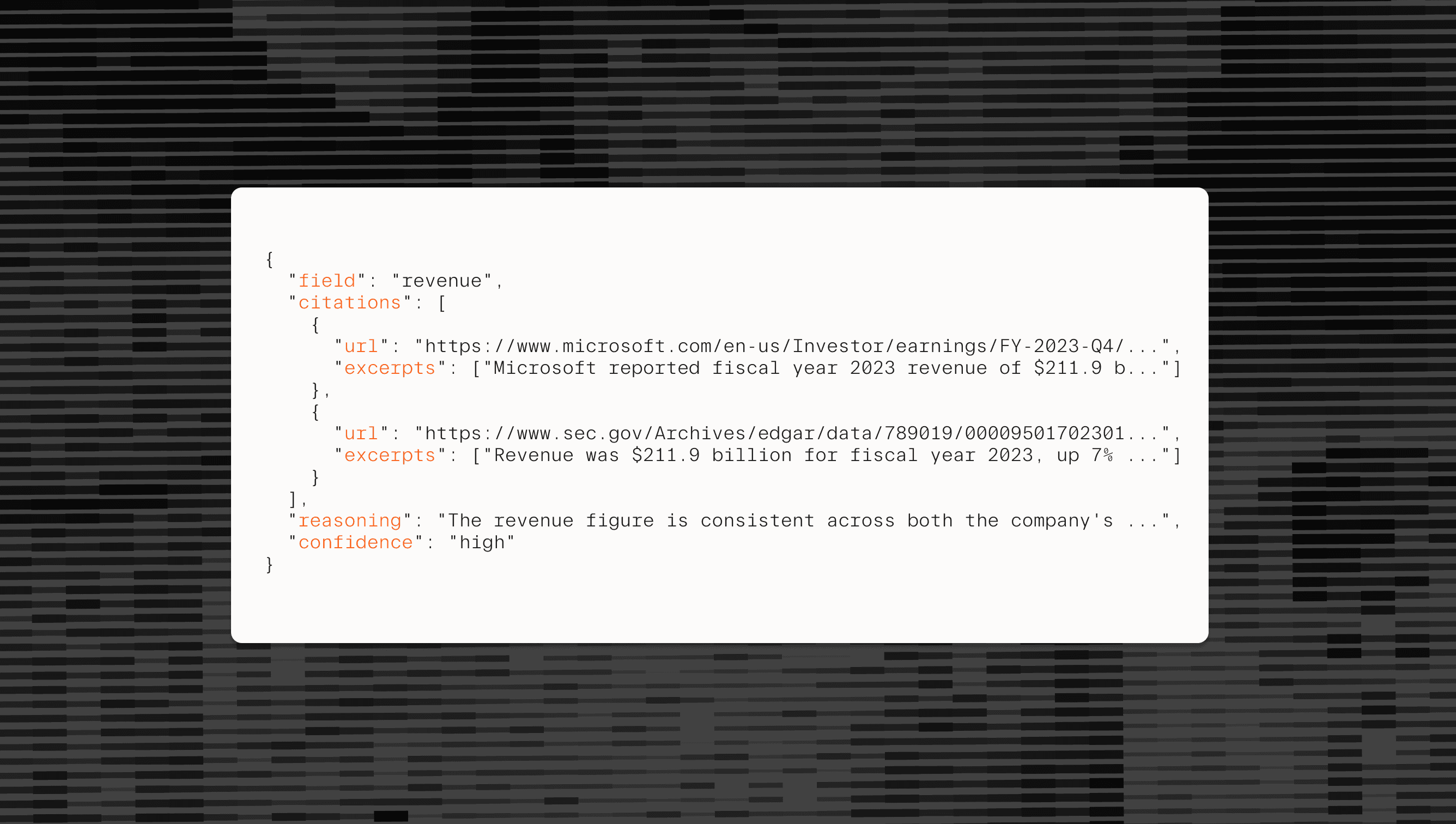
1parallel-cli research run "Comprehensive analysis of US-Canada Uranium supply chains" --no-wait --json``` parallel-cli research run "Comprehensive analysis of US-Canada Uranium supply chains" --no-wait --json``` Research outputs include citations, reasoning traces, and calibrated confidence scores through Parallel's Basis framework. Processor tiers range from _lite _(quick lookups, seconds) to _ultra_ (deep multi-source synthesis, up to 25 minutes).
**Enrich structured data at scale**
The Enrich command takes a CSV or JSON file and adds web-sourced fields to every row. Describe what you need in plain language, and Parallel handles the research for each record.
1234parallel-cli enrich run \
    --data '[{"company": "Anthropic"}, {"company": "Mistral"}, {"company": "Cohere"}]' \
    --target output.csv \
    --intent "Find headquarters location and employee count"``` parallel-cli enrich run \    --data '[{"company": "Anthropic"}, {"company": "Mistral"}, {"company": "Cohere"}]' \    --target output.csv \    --intent "Find headquarters location and employee count"```
Enrichment scales from two-field lookups on the lite processor to 20+ field deep research on ultra. Pricing is per row, not per field, so adding more output columns doesn't change the cost.
Install the CLI, grab an API key from platform.parallel.ai[platform.parallel.ai], and run your first search:
123curl -fsSL https://parallel.ai/install.sh | bash
export PARALLEL_API_KEY="your_api_key"
parallel-cli search "your first query" --json``` curl -fsSL https://parallel.ai/install.sh | bashexport PARALLEL_API_KEY="your_api_key"parallel-cli search "your first query" --json```
For structured agent integration, check out Agent Skills[Agent Skills] for pre-built skill definitions that teach agents how to use each command effectively.
Full documentation is at docs.parallel.ai[docs.parallel.ai]. The CLI source is open on GitHub[GitHub].