Nov 1, 2026
- [Introducing PWS-Decisions: A benchmark for web-grounded decisions](https://parallel.ai/blog/pws-decisions-benchmark)
Tags:Benchmarks
Authors: By Devin Gupta and Leela KarumbunathanAugust 13, 2026
How to detect the changes that matter with Monitor and chain follow-up Tasks into always-on agentic workflows.

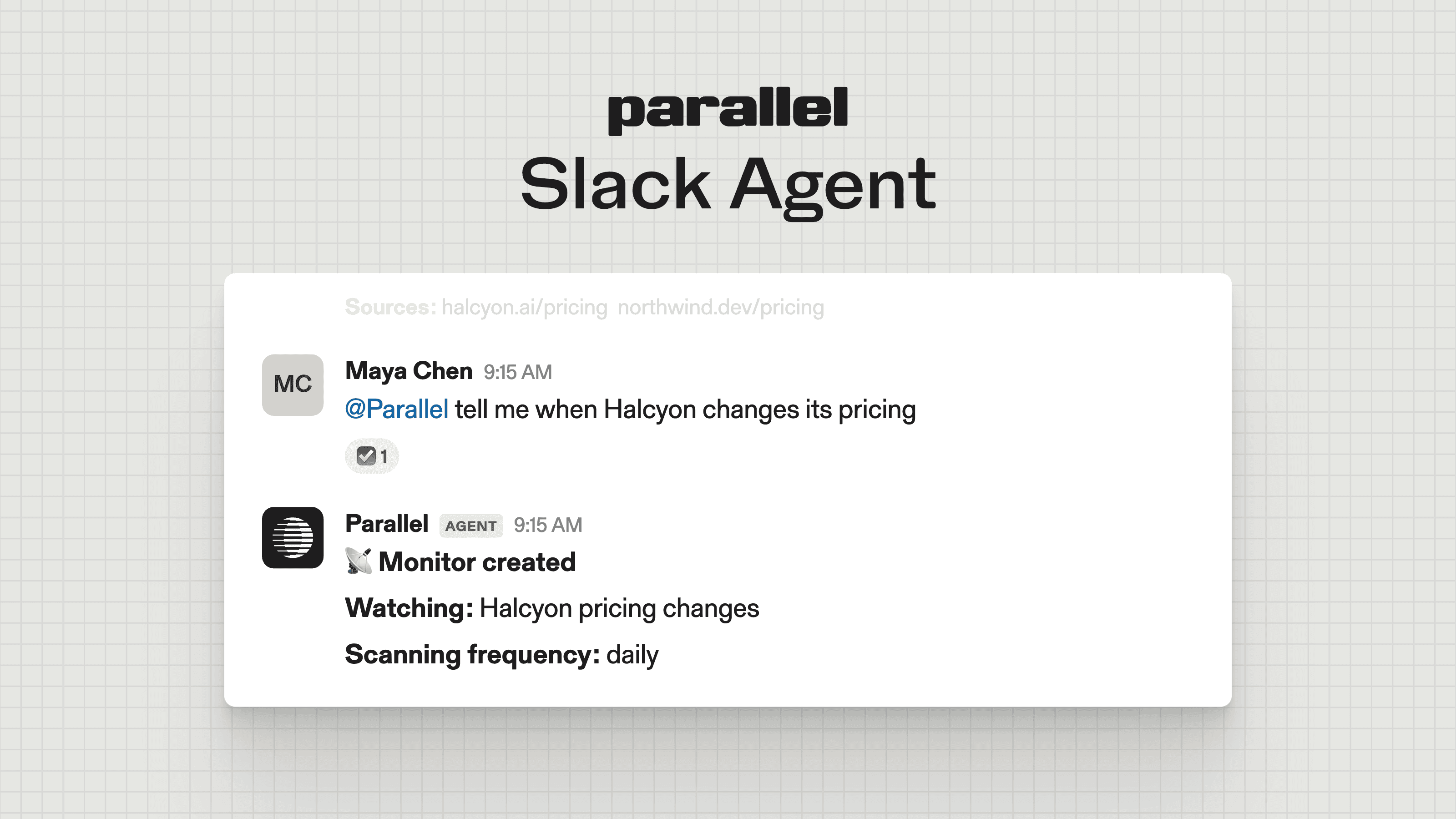
Monitor[Monitor] is the API we get asked about most. It lets you continuously track events across the web using scheduled, natural-language queries and delivers detected events through a configured webhook or API call.
As a result, several of our most active customers have made Monitor the foundation of their agentic scaffolding. That makes sense when you think about it: almost every economically valuable workflow (whether it’s drug discovery, sales, or investing) requires change detection in a timely fashion. Monitor is what makes this possible at scale.
In this article, we’ll walk you through how to think about Monitor and construct your own always-on agentic workflow (including one use case with Hermes[Hermes], a popular open-source agent framework).
The use cases cluster around a common pattern: something changes in the world, and the web is the first place to find that the change has happened. Monitor makes it easy for you to detect when this change happens across various domains:
Monitor goes beyond just telling you that something has changed; it lets you get the most relevant information and use it to take action. Let’s take a closer look at this capability:
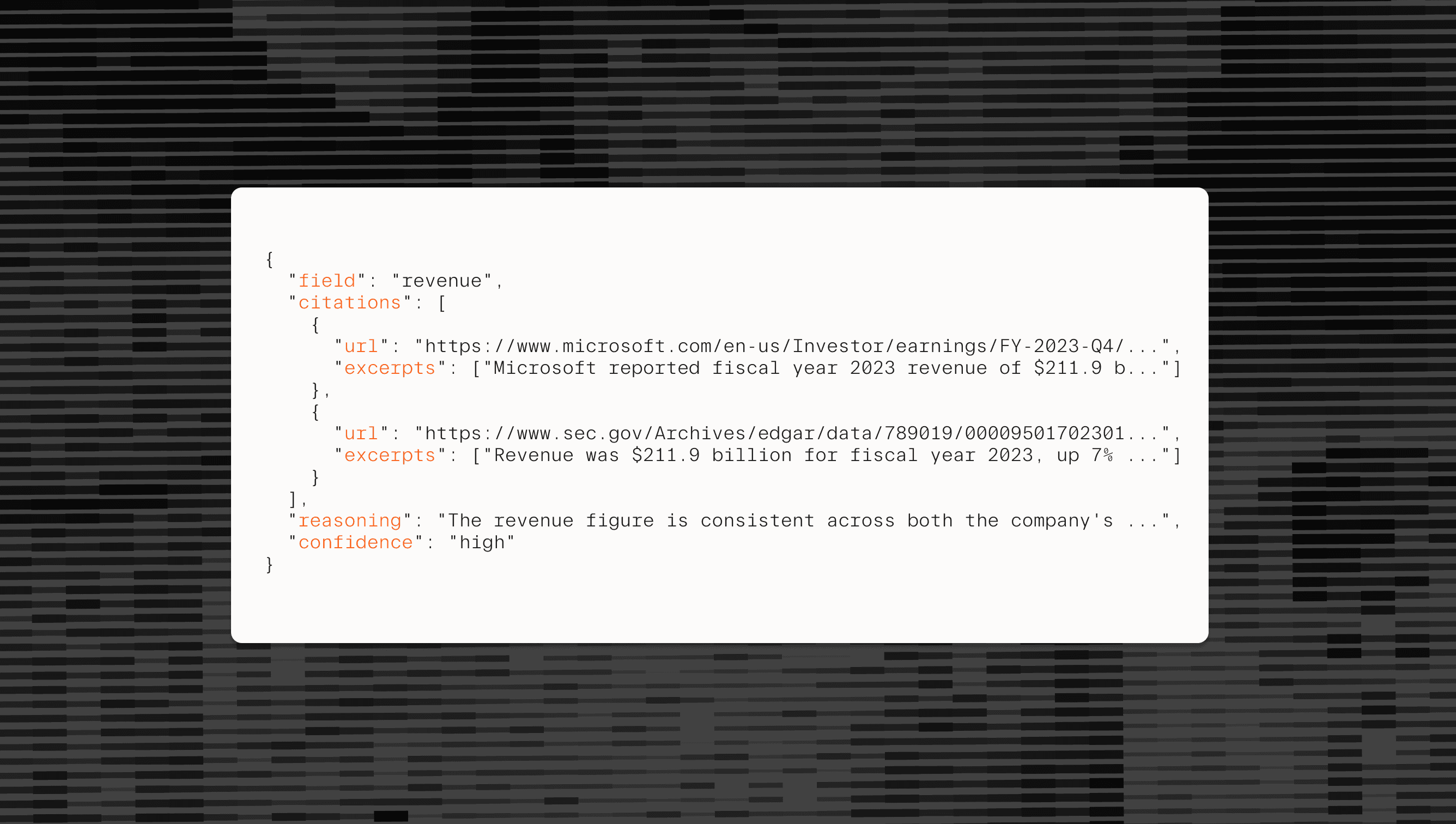
`basis` field containing citations (i.e., cited sources), reasoning, and a calibrated confidence score for the findings. You can also filter these scores programmatically to surface only relevant findings (e.g., only show results with `"confidence": "high"`).As mentioned earlier, a monitor firing is not the end of a workflow. Instead, you can use data from Monitor to trigger a follow-up action, such as:
This allows you to create end-to-end workflows that turn detected changes into action, whether it’s gathering key context for a decision or updating internal systems.
For example, let’s say that Monitor detects that a competitor’s drug has progressed through the next stage of clinical trials. Instead of just alerting stakeholders, you can go one step further by launching an agent that pulls the trial data, measures performance, and surfaces the results to the right team for quick decision-making. The agent could also update your internal clinical trial tracker, ensuring the whole team is working with the latest information.
Once you have a relevant event, you can use a Parallel Task to trigger follow-up research. Let’s take a closer look at how to do this with the code sample below:
**Note:** For some of these samples, we’ll be using the official Parallel Python library, which you can install from PyPI[PyPI].
12345678910111213141516171819202122232425262728293031323334import os
from parallel import Parallel

client = Parallel(api_key=os.environ["PARALLEL_API_KEY"])


# Returned by client.monitor.create(...)
monitor_id = "YOUR_MONITOR_ID"

# Available after the monitor produces an event. Read it from
# event.event_group_id in client.monitor.events(monitor_id).events,
# or from data["event"]["event_group_id"] in a monitor.event.detected webhook.
event_group_id = "YOUR_EVENT_GROUP_ID"


# 1. Fetch the event
result = client.monitor.events(
    monitor_id,
    event_group_id=event_group_id,
)
event = result.events[0]
output_content = event.output.content
event_id = event.event_id

# 2. Launch deep research
task_run = client.task_run.create(
    input=f"Research the following event in depth and summarize its strategic implications: {output_content}",
    processor="ultra",
    previous_interaction_id=event_id,
)
print(f"Run ID: {task_run.run_id}")
# Block for the result or use a webhook
run_result = client.task_run.result(task_run.run_id, api_timeout=3600)
print(run_result.output.content)``` import osfrom parallel import Parallel client = Parallel(api_key=os.environ["PARALLEL_API_KEY"])  # Returned by client.monitor.create(...)monitor_id = "YOUR_MONITOR_ID" # Available after the monitor produces an event. Read it from# event.event_group_id in client.monitor.events(monitor_id).events,# or from data["event"]["event_group_id"] in a monitor.event.detected webhook.event_group_id = "YOUR_EVENT_GROUP_ID"  # 1. Fetch the eventresult = client.monitor.events(    monitor_id,    event_group_id=event_group_id,)event = result.events[0]output_content = event.output.contentevent_id = event.event_id # 2. Launch deep researchtask_run = client.task_run.create(    input=f"Research the following event in depth and summarize its strategic implications: {output_content}",    processor="ultra",    previous_interaction_id=event_id,)print(f"Run ID: {task_run.run_id}")# Block for the result or use a webhookrun_result = client.task_run.result(task_run.run_id, api_timeout=3600)print(run_result.output.content)```
After you fetch the Monitor event, you can pass all relevant context from Monitor to Task by passing the `event_id` as `previous_interaction_id`. This allows the Task to inherit the Monitor event’s full context and pick up where Monitor left off, without any manual stitching on your part.
To put this into practice, we’re going to share two examples to show you how to build these agentic workflows.
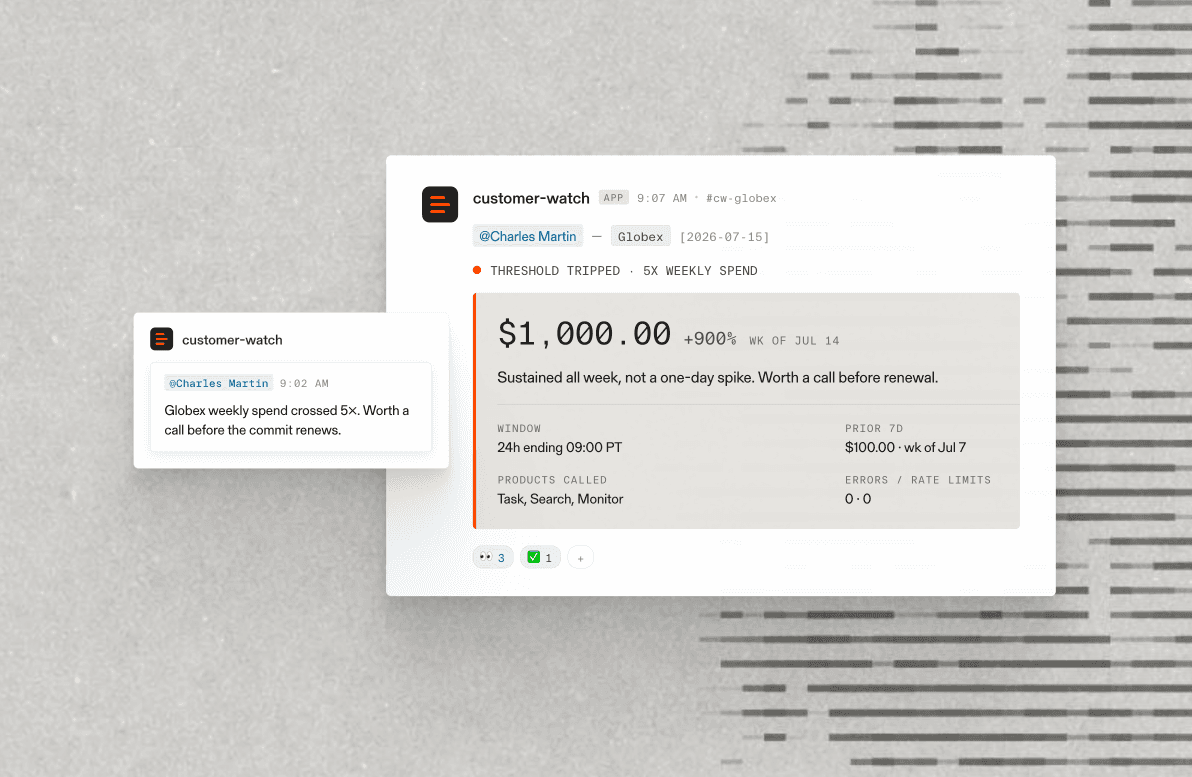
At Parallel, we use Monitor internally to track new agentic product launches to identify potential prospects. The workflow goes:
Internally, we run this as a script that alerts a Slack channel, but you could build a dashboard following this flow.
Let’s take a closer look at the code that powers this workflow:
12345678910111213141516171819202122232425262728293031323334353637383940414243444546474849505152535455565758import os
import re
from parallel import Parallel

client = Parallel(api_key=os.environ["PARALLEL_API_KEY"])

# 1. Fetch the event
# Example- Monitor: "notify me when Glean launches a new agentic product"
# Returned by client.monitor.create(...)
monitor_id = "YOUR_MONITOR_ID"

# Available after the monitor produces an event. Read it from
# event.event_group_id in client.monitor.events(monitor_id).events,
# or from data["event"]["event_group_id"] in a monitor.event.detected webhook.
event_group_id = "YOUR_EVENT_GROUP_ID"

result = client.monitor.events(
    monitor_id,
    event_group_id=event_group_id,
)
event = result.events[0]
output_content = event.output.content
event_id = event.event_id

# 2. Score relevance for Parallel (1–3), chained to the monitor event
scoring_prompt = f"""Return a number (3, 2, or 1) based on the following rubric. Respond with only the number.

3 - Strong fit. Award if any of the following are clearly true:
- Company the event is about already uses a web search API in production
- Core workflow is visibly reliant on open web data (e.g. SEC filing agent, competitor intel tool)
- Exploits or would clearly benefit from live web triggers or signals
- Performs deep or multi-step research as a primary use case

2 - Uncertain. Award if web search or live data could plausibly improve the product but it isn't obvious from what's known.

1 - Poor fit. Award if the product is clearly self-contained: internal data only, no web dependency.

Product: {output_content}"""

task_run = client.task_run.create(
    input=scoring_prompt,
    processor="base",
    previous_interaction_id=event_id,
    task_spec={
        "output_schema": "A single integer: 1, 2, or 3",
    },
)
run_result = client.task_run.result(task_run.run_id, api_timeout=3600)

score_text = str(run_result.output.content).strip()
match = re.fullmatch(r"[123]", score_text)

if match is None:
    raise ValueError(f"Expected a score of 1, 2, or 3; received: {score_text!r}")

score = int(match.group())
labels = {3: "Strong fit", 2: "Uncertain", 1: "Poor fit"}
print(f"Score: {score} — {labels[score]}")``` import osimport refrom parallel import Parallel client = Parallel(api_key=os.environ["PARALLEL_API_KEY"]) # 1. Fetch the event# Example- Monitor: "notify me when Glean launches a new agentic product"# Returned by client.monitor.create(...)monitor_id = "YOUR_MONITOR_ID" # Available after the monitor produces an event. Read it from# event.event_group_id in client.monitor.events(monitor_id).events,# or from data["event"]["event_group_id"] in a monitor.event.detected webhook.event_group_id = "YOUR_EVENT_GROUP_ID" result = client.monitor.events(    monitor_id,    event_group_id=event_group_id,)event = result.events[0]output_content = event.output.contentevent_id = event.event_id # 2. Score relevance for Parallel (1–3), chained to the monitor eventscoring_prompt = f"""Return a number (3, 2, or 1) based on the following rubric. Respond with only the number. 3 - Strong fit. Award if any of the following are clearly true:- Company the event is about already uses a web search API in production- Core workflow is visibly reliant on open web data (e.g. SEC filing agent, competitor intel tool)- Exploits or would clearly benefit from live web triggers or signals- Performs deep or multi-step research as a primary use case 2 - Uncertain. Award if web search or live data could plausibly improve the product but it isn't obvious from what's known. 1 - Poor fit. Award if the product is clearly self-contained: internal data only, no web dependency. Product: {output_content}""" task_run = client.task_run.create(    input=scoring_prompt,    processor="base",    previous_interaction_id=event_id,    task_spec={        "output_schema": "A single integer: 1, 2, or 3",    },)run_result = client.task_run.result(task_run.run_id, api_timeout=3600) score_text = str(run_result.output.content).strip()match = re.fullmatch(r"[123]", score_text) if match is None:    raise ValueError(f"Expected a score of 1, 2, or 3; received: {score_text!r}") score = int(match.group())labels = {3: "Strong fit", 2: "Uncertain", 1: "Poor fit"}print(f"Score: {score} — {labels[score]}")```
Similar to the previous code sample, we share the relevant context from Monitor to Task by passing the `event_id` as `previous_interaction_id`. Then, we implement a relevance scoring prompt to qualify live sales signals, along with additional code to output the results. You can definitely extend this to feed into your other GTM systems, whether it’s alerting a Slack channel or updating a dashboard via a Webhook.
A personal agent can help you with common tasks, like watching for concert tickets or campsites. Let’s show you how to build this with Hermes (an open-source AI agent from Nous Research) and the Monitor API.
The workflow is simple:
Let’s take a closer look at the code. When you send messages to your bot on Telegram, the `listen` function pulls them into our system.
1234567891011121314151617181920def listen() -> None:
    global CHAT_ID
    offset = None
    while True:
        try:
            updates = requests.get(f"{TELEGRAM}/getUpdates",
                                   params={"offset": offset, "timeout": 30}, timeout=60).json()
            if not updates.get("ok"):     # a bad token or a second poller is valid JSON, not an error
                print("telegram:", updates.get("description"))
                time.sleep(5)
                continue
            for update in updates["result"]:
                offset = update["update_id"] + 1
                message = update.get("message", {})
                if "text" in message:
                    CHAT_ID = str(message["chat"]["id"])
                    handle_chat(message["text"])
        except Exception as error:
            print("telegram:", error)
            time.sleep(5)``` def listen() -> None:    global CHAT_ID    offset = None    while True:        try:            updates = requests.get(f"{TELEGRAM}/getUpdates",                                   params={"offset": offset, "timeout": 30}, timeout=60).json()            if not updates.get("ok"):     # a bad token or a second poller is valid JSON, not an error                print("telegram:", updates.get("description"))                time.sleep(5)                continue            for update in updates["result"]:                offset = update["update_id"] + 1                message = update.get("message", {})                if "text" in message:                    CHAT_ID = str(message["chat"]["id"])                    handle_chat(message["text"])        except Exception as error:            print("telegram:", error)            time.sleep(5)```
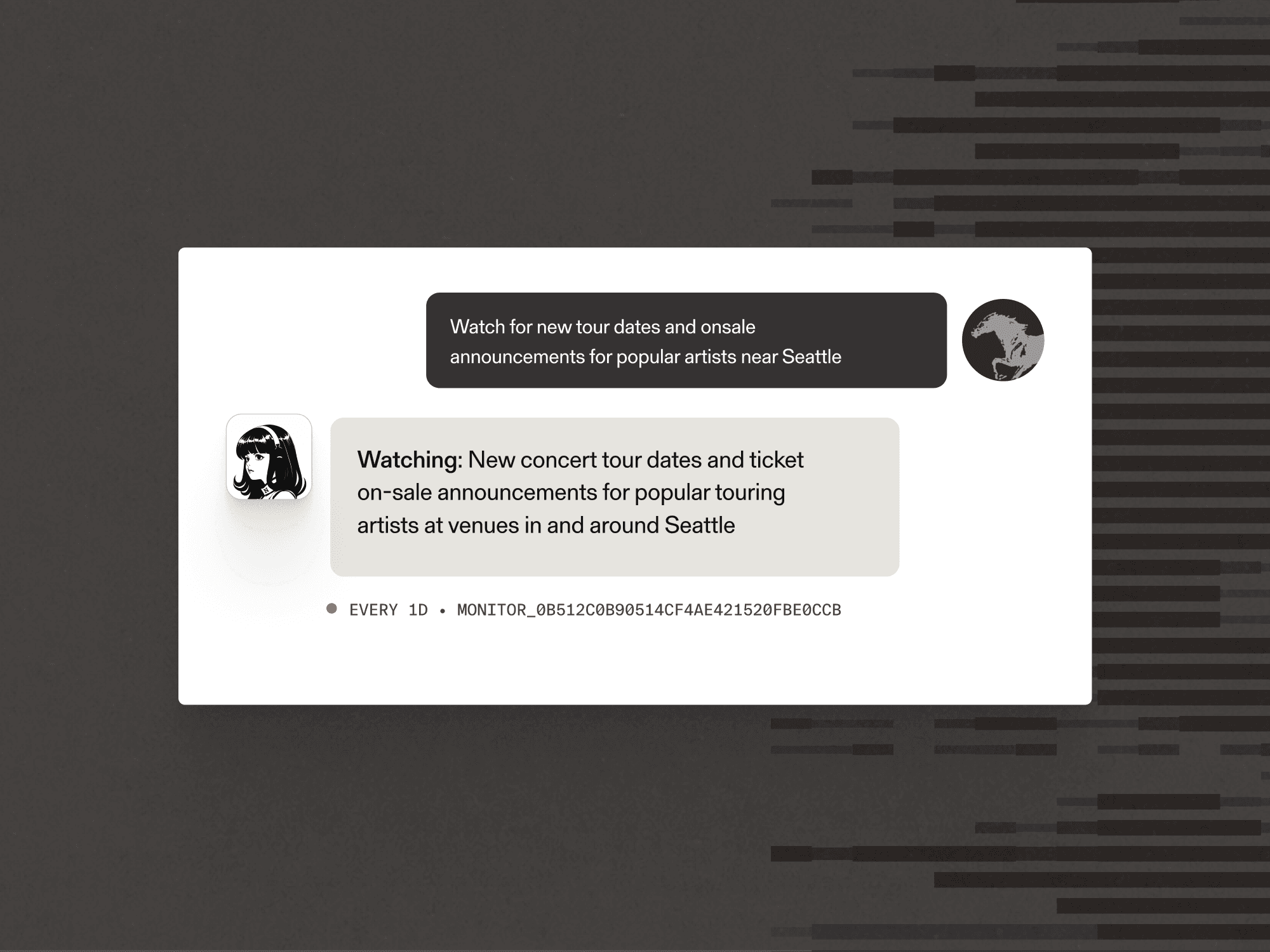
The `handle_chat` function then decides if the message is a request to create a Monitor for an artist event. If it is, the agent creates the Monitor with Parallel and confirms back to the user what we’re watching.
123456789101112131415161718192021222324252627282930ROUTE = """Message from me: "{text}"

If I'm asking you to keep an eye on something on the web, reply with JSON only:
{{"action": "watch", "query": "<intent, not keywords, and no dates>",
  "frequency": "1h" | "6h" | "1d" | "1w", "fields": {{"<field>": "<what to extract>"}}}}

Pick the 4-7 fields I'd want in a notification — for tickets that's the artist, the venue, the
date, and the on-sale details. Anything else: just answer me normally.
"""

LINK = "the direct link to buy, or to the announcement if tickets aren't up yet"


def handle_chat(text: str) -> None:
    reply = ask_hermes(ROUTE.format(text=text), "watchtower-route")
    try:
        plan = json.loads(re.search(r"\{.*\}", reply, re.S).group())
    except (AttributeError, json.JSONDecodeError):
        plan = {}
    if plan.get("action") != "watch":
        send_telegram(reply)
        return
    query, fields = plan.get("query"), plan.get("fields")
    if not query or not isinstance(fields, dict):     # the model dropped a key; say so, don't vanish
        send_telegram("I couldn't turn that into a watch. Try naming the thing and the place.")
        return
    fields.setdefault("url", LINK)                    # the whole point is to hand you a link
    frequency = plan.get("frequency", "6h")
    monitor_id = watch(query, fields, frequency)
    send_telegram(f"Watching: {query}\nEvery {frequency} · {monitor_id}")``` ROUTE = """Message from me: "{text}" If I'm asking you to keep an eye on something on the web, reply with JSON only:{{"action": "watch", "query": "<intent, not keywords, and no dates>",  "frequency": "1h" | "6h" | "1d" | "1w", "fields": {{"<field>": "<what to extract>"}}}} Pick the 4-7 fields I'd want in a notification — for tickets that's the artist, the venue, thedate, and the on-sale details. Anything else: just answer me normally.""" LINK = "the direct link to buy, or to the announcement if tickets aren't up yet"  def handle_chat(text: str) -> None:    reply = ask_hermes(ROUTE.format(text=text), "watchtower-route")    try:        plan = json.loads(re.search(r"\{.*\}", reply, re.S).group())    except (AttributeError, json.JSONDecodeError):        plan = {}    if plan.get("action") != "watch":        send_telegram(reply)        return    query, fields = plan.get("query"), plan.get("fields")    if not query or not isinstance(fields, dict):     # the model dropped a key; say so, don't vanish        send_telegram("I couldn't turn that into a watch. Try naming the thing and the place.")        return    fields.setdefault("url", LINK)                    # the whole point is to hand you a link    frequency = plan.get("frequency", "6h")    monitor_id = watch(query, fields, frequency)    send_telegram(f"Watching: {query}\nEvery {frequency} · {monitor_id}")```
The Parallel Monitor itself is an `event_stream` that takes a natural-language query and emits one event for each new material change.
1234567891011# frequency is any "<n><h|d|w>" from 1h to 30d. The API has no default; 6h is the notebook's.
def watch(query: str, fields: dict[str, str], frequency: str = "6h") -> str:
    monitor = parallel.monitor.create(
        type="event_stream",
        frequency=frequency,
        processor="base",
        settings={"query": query, "output_schema": schema(fields)},
        webhook={"url": WEBHOOK_URL, "event_types": ["monitor.event.detected"]},
    )
    WATCHING[monitor.monitor_id] = query
    return monitor.monitor_id``` # frequency is any "<n><h|d|w>" from 1h to 30d. The API has no default; 6h is the notebook's.def watch(query: str, fields: dict[str, str], frequency: str = "6h") -> str:    monitor = parallel.monitor.create(        type="event_stream",        frequency=frequency,        processor="base",        settings={"query": query, "output_schema": schema(fields)},        webhook={"url": WEBHOOK_URL, "event_types": ["monitor.event.detected"]},    )    WATCHING[monitor.monitor_id] = query    return monitor.monitor_id```
When the monitor fires, Parallel sends a POST request to our webhook. These events are then added to a work queue, which processes them one at a time.
123456789101112def work() -> None:
    while True:
        data = inbox.get()
        try:
            page = parallel.monitor.events(data["monitor_id"],
                                           event_group_id=data["event"]["event_group_id"])
            for event in page.events:
                if event.event_type == "event_stream" and event.event_id not in SEEN:
                    handle_event(data["monitor_id"], event)
                    SEEN.add(event.event_id)     # only once it lands, so a retry can still save it
        except Exception as error:
            print("event failed:", error)``` def work() -> None:    while True:        data = inbox.get()        try:            page = parallel.monitor.events(data["monitor_id"],                                           event_group_id=data["event"]["event_group_id"])            for event in page.events:                if event.event_type == "event_stream" and event.event_id not in SEEN:                    handle_event(data["monitor_id"], event)                    SEEN.add(event.event_id)     # only once it lands, so a retry can still save it        except Exception as error:            print("event failed:", error)```
For each of these events, we need to decide if an event is worth acting upon, which requires additional research. For example, if we’re monitoring for music events, we need to figure out what the tickets cost, presale details, date and time, and the official page to buy from. We can fire off a Task with Parallel that does this research.
1234567891011121314151617181920212223242526272829FIT = """Here is what changed:
{change}

My constraints:
{preferences}

Research this: what tickets actually cost, presale details, the exact date and time, and the
official page to buy from. Then decide whether it fits my constraints.
"""

VERDICT = {
    "verdict": "exactly one of: fits, does not fit, unclear",
    "reason": "one sentence, naming the price or the date that decided it",
    "price": "what tickets cost, or are expected to cost",
    "purchase_url": "direct link to the page where I can buy",
}


def research(event, preferences: str) -> dict:
    run = parallel.task_run.create(
        input=FIT.format(change=json.dumps(event.output.content, indent=2),
                         preferences=preferences),
        processor="core-fast",                      # same price as core, minutes faster
        previous_interaction_id=event.event_id,     # carries the event's own context forward
        task_spec={"output_schema": schema(VERDICT)},
    )
    # api_timeout is how long the server holds the connection open; timeout is ours, and
    # defaults to 600s — without it the SDK hangs up on research it already paid for.
    return parallel.task_run.result(run.run_id, api_timeout=1800, timeout=1800).output.content``` FIT = """Here is what changed:{change} My constraints:{preferences} Research this: what tickets actually cost, presale details, the exact date and time, and theofficial page to buy from. Then decide whether it fits my constraints.""" VERDICT = {    "verdict": "exactly one of: fits, does not fit, unclear",    "reason": "one sentence, naming the price or the date that decided it",    "price": "what tickets cost, or are expected to cost",    "purchase_url": "direct link to the page where I can buy",}  def research(event, preferences: str) -> dict:    run = parallel.task_run.create(        input=FIT.format(change=json.dumps(event.output.content, indent=2),                         preferences=preferences),        processor="core-fast",                      # same price as core, minutes faster        previous_interaction_id=event.event_id,     # carries the event's own context forward        task_spec={"output_schema": schema(VERDICT)},    )    # api_timeout is how long the server holds the connection open; timeout is ours, and    # defaults to 600s — without it the SDK hangs up on research it already paid for.    return parallel.task_run.result(run.run_id, api_timeout=1800, timeout=1800).output.content```
Finally, once all of the research comes back, we can make a final call on whether we’re confident that the event is worth acting on. If it is, we call `send_telegram` to let the user know that we found a match for their initial request, along with the relevant details.
1234567891011121314151617181920212223242526272829303132333435BRIEF = """A monitor I asked you to run just fired, and the follow-up research says it fits.

Watching: {watching}

What changed:
{change}

Price: {price}
Why it fits: {reason}
Buy here: {url}

Sources: {sources}

Write me a Telegram message about this. Lead with what it is and what it costs, keep it under
6 lines, and end with the link.
"""


def handle_event(monitor_id: str, event) -> None:
    level, field = confidence(event)
    if CONFIDENCE.index(level) < CONFIDENCE.index(MIN_CONFIDENCE):
        print(f"skipped {event.event_id}: {field} was {level} confidence")
        return
    fit = research(event, preferences())
    if fit.get("verdict") != "fits":
        send_telegram(f"Skipping one for you — {fit.get('reason', 'it did not fit')}")
        return
    send_telegram(ask_hermes(BRIEF.format(
        watching=WATCHING.get(monitor_id, "something you asked about"),
        change=json.dumps(event.output.content, indent=2),
        price=fit.get("price", "unknown"),
        reason=fit.get("reason", ""),
        url=fit.get("purchase_url", ""),
        sources=", ".join({c.url for b in event.output.basis for c in b.citations or []}),
), "watchtower-brief"))``` BRIEF = """A monitor I asked you to run just fired, and the follow-up research says it fits. Watching: {watching} What changed:{change} Price: {price}Why it fits: {reason}Buy here: {url} Sources: {sources} Write me a Telegram message about this. Lead with what it is and what it costs, keep it under6 lines, and end with the link.""" def handle_event(monitor_id: str, event) -> None: level, field = confidence(event) if CONFIDENCE.index(level) < CONFIDENCE.index(MIN_CONFIDENCE): print(f"skipped {event.event_id}: {field} was {level} confidence") return fit = research(event, preferences()) if fit.get("verdict") != "fits": send_telegram(f"Skipping one for you — {fit.get('reason', 'it did not fit')}") return send_telegram(ask_hermes(BRIEF.format( watching=WATCHING.get(monitor_id, "something you asked about"), change=json.dumps(event.output.content, indent=2), price=fit.get("price", "unknown"), reason=fit.get("reason", ""), url=fit.get("purchase_url", ""), sources=", ".join({c.url for b in event.output.basis for c in b.citations or []}), ), "watchtower-brief"))``` With Monitor, any business can learn about the changes that matter most to them and use that to build agentic workflows that take action and move work forward. If you’re building on Monitor, we’d love to hear what you’re doing. Share what you’ve built by contacting us[contacting us].